Contents
Get a Personalized Demo
See how Torq harnesses AI in your SOC to detect, prioritize, and respond to threats faster.
TL;DR
- Alert overload is crushing SOCs: The average enterprise SOC receives tens of thousands of daily alerts. At least 30% are never investigated.
- The talent gap keeps widening: The global cybersecurity workforce shortage has hit 4.8 million unfilled positions, a 19% year-over-year increase.
- Legacy SOAR is failing: Static playbooks require intensive, ongoing maintenance and break when threats evolve, or APIs change.
- AI-powered Hyperautomation is the answer: Platforms like Torq HyperSOC™ automate the full incident lifecycle — detect, triage, investigate, contain, remediate — with agentic AI that reasons through problems.
- Real results matter: Torq customers achieve outcomes like 100% Tier 1 alert automation (Carvana), 95% MTTI/MTTR improvement (HWG Sababa), and ROI within 48 hours (Valvoline).
The cybersecurity industry has spent a decade selling you security orchestration automation and response (SOAR) tools that create more work. Static playbooks. Fragile integrations. Six-month implementations. “Just add another connector” — until your SOC looks like a Rube Goldberg machine held together by Python scripts and hope.
Attackers move in minutes. Your legacy SOAR moves in sprint cycles. That gap isn’t a problem. It’s an open door.
This guide breaks down the top cybersecurity automation tools for 2026, how they differ, and how to choose the right one for your organization.
What is Cybersecurity Automation?
Cybersecurity automation uses technology to execute security tasks — detection, investigation, response, remediation — with minimal human intervention. It’s the difference between having analysts manually sift through alerts one by one or having machines handle the noise so humans can focus on what matters most.
Why does this matter now more than ever?
Alert volumes are crushing SOC teams. The average enterprise SOC receives tens of thousands of daily alerts, with at least 30% never investigated. Research shows that 62.5% of security teams are overwhelmed by the sheer volume of data, and analysts spend 75% of their time on manual triage rather than on actual threat hunting.
Attackers move faster than humans. Threat actors exploit vulnerabilities within minutes of discovery. Manual response that takes hours or days? That’s not a gap — it’s a canyon.
The talent shortage isn’t getting better. The global cybersecurity workforce gap has hit 4.8 million unfilled positions, a 19% year-over-year increase according to ISC2 data. You can’t hire your way out of this problem.
Compliance demands consistency. Regulations require documented, repeatable responses. Manual processes are inherently inconsistent and difficult to audit.
The evolution tells the storyFirst came basic scripts and scheduled tasks, better than nothing, but brittle. Then came SOAR platforms with static playbooks — an improvement, but they required constant maintenance and broke when vendor APIs changed.
Now, we’re in the era of AI-powered Hyperautomation with adaptive reasoning that can actually think through problems instead of just following predetermined paths.
Here’s the thing: automation isn’t only about speed. It’s about enabling your team to focus on threats that require human judgment while machines handle the rest.
7 Types of Cybersecurity Automation Tools
Not all automation tools do the same thing. Understanding the categories helps you identify where the gaps are — and where you’re overpaying for overlapping capabilities. It’s like realizing you’re subscribed to Netflix, Hulu, and Max but only ever watch one. Consolidate or get stuck with the bill.
So with that in mind, let’s break down the core categories of cybersecurity automation tools and what each one actually does.
1. Endpoint Detection and Response (EDR)
What it automates: Threat detection, endpoint isolation, malware removal
Key capabilities: Real-time monitoring, behavioral analysis, automated containment. Modern EDR solutions use machine learning to identify unknown threats and can automatically quarantine infected endpoints before malware spreads.
Limitations: EDR is endpoint-focused. It doesn’t orchestrate across your full security stack, so an endpoint threat that originates from a phishing email or compromised identity requires manual correlation across tools.
Example vendors: CrowdStrike, SentinelOne, Microsoft Defender
2. Security Information and Event Management (SIEM)
What it automates: Log aggregation, correlation, alerting
Key capabilities: Centralized visibility across your environment, compliance reporting, and threat detection through correlation rules. SIEMs are the data backbone of most SOCs.
Limitations: SIEM tools gather logs from a variety of sources and use detection rules to highlight suspicious activities. But generating alerts isn’t the same as resolving them. SIEMs tell you something might be wrong — they don’t fix it. Without additional automation, every alert still requires human investigation.
Example vendors: Microsoft Sentinel, Google Chronicle
3. Email Security
What it automates: Phishing detection, malicious attachment analysis, email quarantine
Key capabilities: URL scanning, sender reputation analysis, automated remediation for malicious messages across all inboxes.
Limitations: Email-only coverage. When a user clicks a malicious link before it’s caught, the threat has already jumped to the endpoint and potentially to identity systems. Email security doesn’t chase it there.
Example vendors: Proofpoint, Mimecast, Abnormal Security
4. Identity and Access Management (IAM)
What it automates: Access provisioning, authentication, credential management
Key capabilities: MFA enforcement, least-privilege access policies, automated deprovisioning when employees leave.
Limitations: IAM excels at managing who can access what, but it doesn’t correlate with threat activity happening across your other tools. A compromised credential generating suspicious behavior might trigger alerts in your SIEM and EDR, but IAM won’t automatically connect those dots.
Example vendors: Okta, Microsoft Entra ID, CyberArk
5. Vulnerability Management
What it automates: Scanning, prioritization, remediation tracking
Key capabilities: Risk scoring, patch management integration, compliance reporting.
Limitations: Vulnerability scanners identify problems but often stop there. The actual remediation — patching systems, updating configurations — typically requires manual intervention or integration with other tools.
Example vendors: Tenable, Qualys, Rapid7
6. Legacy SOAR
What it automates: Workflow orchestration, playbook execution, tool integration
Key capabilities: Connects security tools together, standardizes response procedures, and reduces manual steps in common workflows.
Limitations: According to recent CISA guidance, SOAR platforms are not “set and forget” tools. They require intensive, ongoing configuration and maintenance to function — a fact that underlines the limitations of a playbook-driven approach. Legacy SOAR solutions typically rely on static playbooks and manual script updates, which quickly become outdated and fail to adapt dynamically to new threats. The result? Your automation engineers spend more time maintaining playbooks than your analysts save using them. Learn more about why SOAR is dead.
Example vendors: Palo Alto XSOAR, Splunk SOAR, Swimlane
7. AI-Powered Hyperautomation / AI SOC Platforms
What it automates: The full incident lifecycle — detect, triage, investigate, contain, remediate
Key capabilities: Agentic AI reasoning, adaptive workflows, autonomous decision-making, and end-to-end automation across your entire security stack. Unlike legacy SOAR, these platforms don’t just follow playbooks; they reason through problems.
Considerations: Requires clear guardrails and policies defining what actions can be taken autonomously. Torq provides built-in governance frameworks, human-in-the-loop workflows, and full auditability to ensure safe, scalable AI operations.
Example vendors: Torq
The key insight: Most tools automate a slice of the security workflow. Only AI-powered Hyperautomation platforms connect everything and automate end-to-end.
The Torq Difference
Legacy automation handles pieces of the puzzle. Torq’s AI SOC handles the entire picture.
A true AI SOC platform must do more than orchestrate — it must reason. That means correlating telemetry across multi-vendor, multi-cloud environments. Generating and prioritizing cases automatically. Making policy-aware decisions in real time. Executing remediation safely and autonomously. And maintaining full auditability so you can explain exactly what happened and why.
Torq Hyperautomation™ delivers this through a fundamentally different architecture:
- Generative AI handles investigation, summarization, and communication.
- Agentic AI provides adaptive reasoning and autonomous action.
- Hyperautomation orchestrates across your entire security stack, not just the tools with pre-built connectors.
- Case management unifies triage, investigation, and response in a single view.
- Multi-Agent System (MAS) enables coordinated, parallel execution across tools.
What does this look like in practice?
Torq’s AI SOC Agents, led by Socrates and bolstered by HyperAgents, don’t just suggest actions — they execute them within your guardrails. They interview users via Slack or Teams to validate suspicious activity. They investigate alerts across SIEM, EDR, IAM, cloud, and SaaS tools. They enrich, correlate, and summarize findings into a native case. They remediate threats automatically where policy allows. And they maintain an immutable, auditable trail of every step, so you can prove exactly what happened when the auditors come calling.
Real-World Results: What Torq Customers Achieved
The proof is in the numbers. Here’s what organizations are achieving with Torq:
- Carvana: 100% of Tier 1 alerts automated with 41 runbooks deployed in just one month. No more alert backlog. No more analyst burnout from repetitive triage.
- Valvoline: Their legacy SOAR couldn’t integrate their stack — a common story. With Torq, they save 6-7 analyst hours daily. ROI achieved within 48 hours of deployment.
- Agoda: Phishing response fully automated 24/7. Incident reports that used to take 6-7 hours now generate in under 40 minutes.
- HWG Sababa: MTTI/MTTR improved by 95% for medium- and low-priority cases. SOC productivity nearly doubled without adding headcount.
Top Use Cases for Cybersecurity Automation
Tier 1 Alert Overload
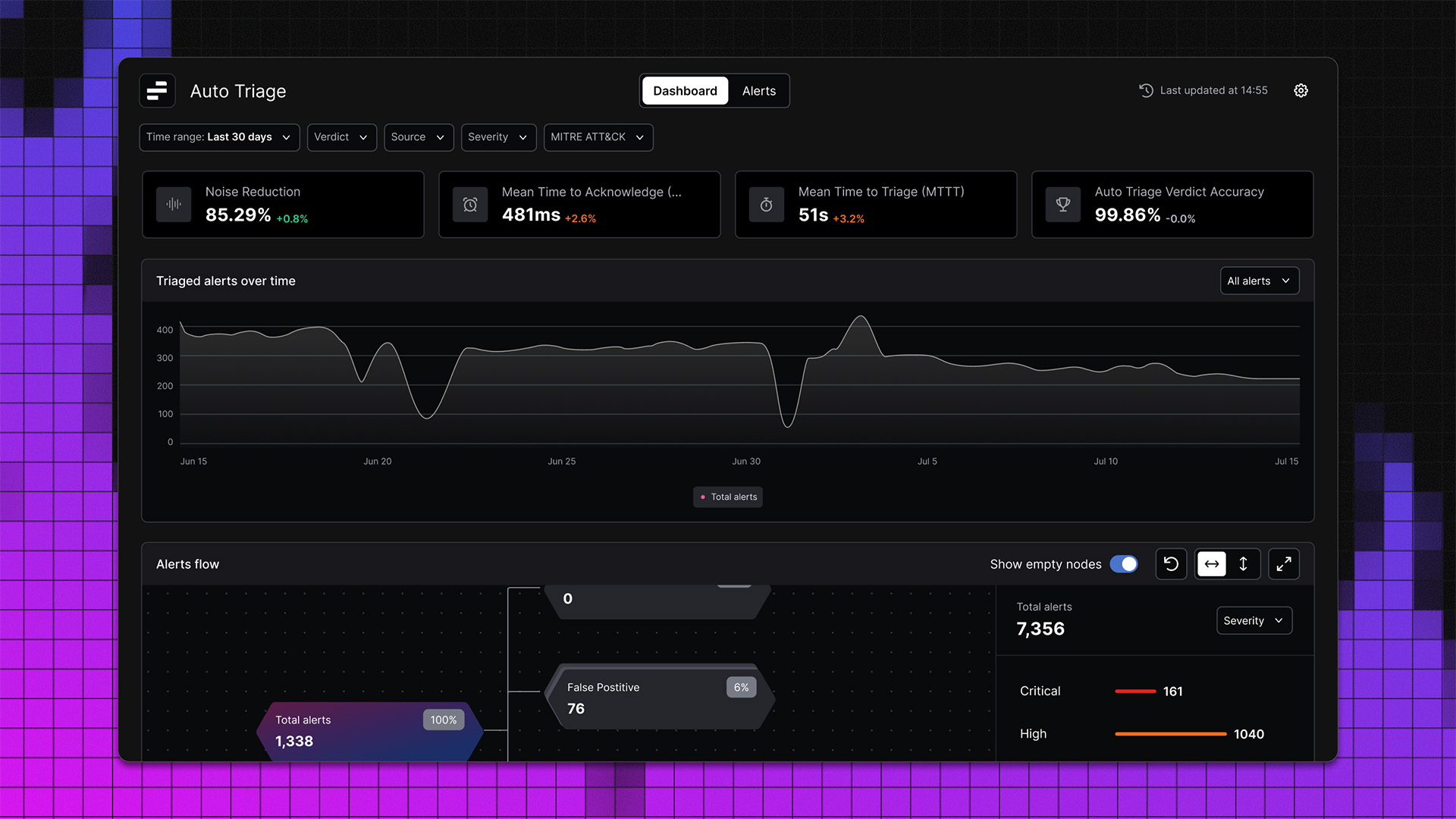
Your analysts are spending their shifts doing the same thing on repeat: check the signal, run the lookups, confirm it’s noise, close the ticket, start over. The queue never empties. The threats that actually matter wait while your team burns through false positives. Torq’s AI SOC automatically investigates every incoming alert, correlates signals across SIEM, EDR, and IAM, and closes false positives without touching an analyst. Verified threats get escalated with full context already attached. Carvana automated 100% of Tier 1 alerts and deployed 41 runbooks in a single month.
Phishing Response
A user flags a suspicious email. Without automation, an analyst opens a ticket, checks the sender, scans the URL, queries the SIEM, pulls endpoint logs, checks whether other users clicked, drafts remediation, and writes the incident report. That’s hours of work — repeated dozens of times a day. With Torq, the entire workflow runs automatically: email analysis, URL detonation, SIEM correlation, cross-inbox remediation, and report generation — no analyst required unless escalation is warranted. Agoda runs phishing response 24/7 without human involvement. Incident reports that used to take 6-7 hours now take under 40 minutes.
SOC Capacity Without New Headcount
The team is stretched. Medium- and low-priority cases sit in the queue while analysts handle high-severity incidents. Leadership wants faster response times but won’t approve more headcount. AI-driven automation handles investigation and initial response for lower-priority cases autonomously, so your analysts only touch what actually requires human judgment. HWG Sababa cut MTTI/MTTR by 95% on medium- and low-priority cases. SOC productivity nearly doubled — same team, same budget.
8 Questions to Ask When Evaluating Cybersecurity Automation Tools
Not all vendors will give you straight answers. These questions cut through the marketing:
- Does this tool automate a single function or the full incident lifecycle? Point solutions create integration headaches. End-to-end platforms reduce complexity.
- Can it integrate with our existing stack without months of custom work? Ask for specific integration timelines. Torq offers 300+ pre-built integrations.
- Does it use AI for reasoning and decision-making, or just static rules? There’s a massive difference between “AI-powered” marketing and actual adaptive automation.
- How quickly can we see measurable ROI? If the answer is “12-18 months,” you’re looking at a legacy approach.
- Can analysts at all skill levels use it, or does it require coding expertise? No-code workflows democratize automation. Script-heavy platforms create bottlenecks.
- What’s the maintenance burden? Ask specifically: when vendor APIs update, what breaks? How much engineering time does upkeep require?
- Does it provide full audit trails and explainability for compliance? “Black box” AI doesn’t fly with auditors. You need to show exactly how decisions were made.
- What do current customers say about real-world results? Ask for references in your industry. Generic case studies are marketing; peer conversations are truth.
It’s Time to Kill Your SOAR
Cybersecurity automation has evolved. Point tools that automate slices of your workflow aren’t enough anymore. Legacy SOAR that requires constant maintenance isn’t the answer.
The future is AI-powered Hyperautomation — platforms that reason, adapt, and act across your entire security stack.
Torq pioneered the AI SOC category for exactly this reason. 300+ integrations. Agentic AI that shows its work. 90-day ROI. Real results from organizations that made the shift.
Ready to automate your security operations?
FAQs
Cybersecurity automation uses technology to execute security tasks — detection, investigation, response, and remediation — with minimal human intervention. It ranges from simple scripted tasks to sophisticated AI-powered platforms that can reason through complex incidents and take autonomous action within defined guardrails.
AI-powered platforms like Torq’s AI SOC automatically triage, investigate, and resolve alerts without human intervention. Instead of analysts reviewing thousands of alerts manually, AI agents handle the investigation, correlate data across tools, and either resolve incidents automatically or escalate only the threats that truly require human judgment.
Legacy SOAR relies on static, pre-built playbooks that require constant maintenance and break when threats evolve or vendor APIs change. Hyperautomation uses agentic AI to dynamically reason through problems, adapt to new threat patterns, and orchestrate actions across your entire security stack without the maintenance burden.
With modern AI-powered platforms, ROI can be measured in days or weeks, not months. Valvoline achieved ROI within 48 hours of deploying Torq. Legacy SOAR implementations typically take 12-18 months to show value due to lengthy deployment timelines and high maintenance requirements.
Key evaluation criteria include: full incident lifecycle automation (not just single functions), seamless integration with your existing stack, true AI reasoning (not just static rules), fast time-to-value, no-code usability for all skill levels, low maintenance burden, full audit trails for compliance, and proven customer results in your industry.
With a global workforce gap of 4.8 million positions, organizations can’t hire their way to security. Automation multiplies the effectiveness of existing teams by handling repetitive tasks, reducing alert fatigue, and enabling analysts to focus on complex threats that require human expertise. HWG Sababa nearly doubled SOC productivity without adding headcount.