Modern threats don’t come crashing through the front door — they slip quietly through gaps in the side of your house that your legacy tools don’t even know exist. Automated threat hunting is how you find threats before they find your sensitive data.
Automated Threat Hunting Overview
Automated threat hunting uses rule-based logic, AI, automation, and real-time telemetry to identify suspicious behaviors across your environment. While manual threat hunting is resource-intensive and dependent on expertise, automation levels the playing field.
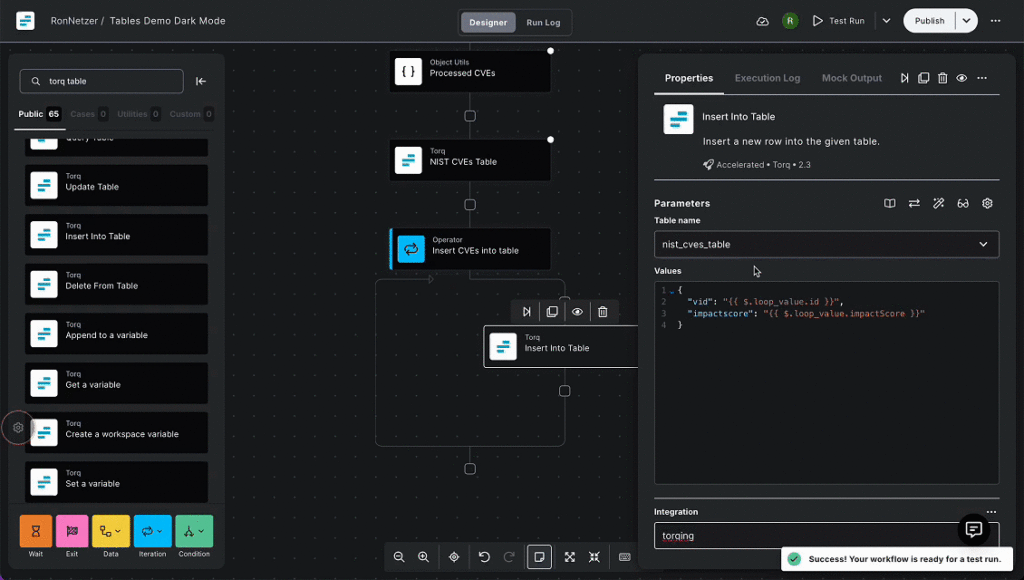
With Hyperautomation tools, security teams can automate detection queries, enrich findings with threat intelligence, trigger searches across systems, and initiate immediate responses.
Automated threat hunting enables your SOC to:
- Continuously monitor and detect threats at scale
- Investigate faster and cut root cause analysis time in half
- Shrink time from detection to response (MTTR)
- Apply proven threat hunting strategies automatically
- Handle multiple threat hunting sessions simultaneously
- Give your analysts time back
What is automated threat hunting?
Automated threat hunting is the practice of using automation and AI to continuously search for hidden threats across an organization’s environment. Unlike traditional reactive monitoring, threat hunting is proactive, and when automated, it removes the bottlenecks of manual investigation, helping decrease a potential threat’s “exposure window”.
Let’s break down five ways to automate threat hunting in your SOC.
1. Automate EDR, XDR, SIEM, and Anomaly Detection Queries
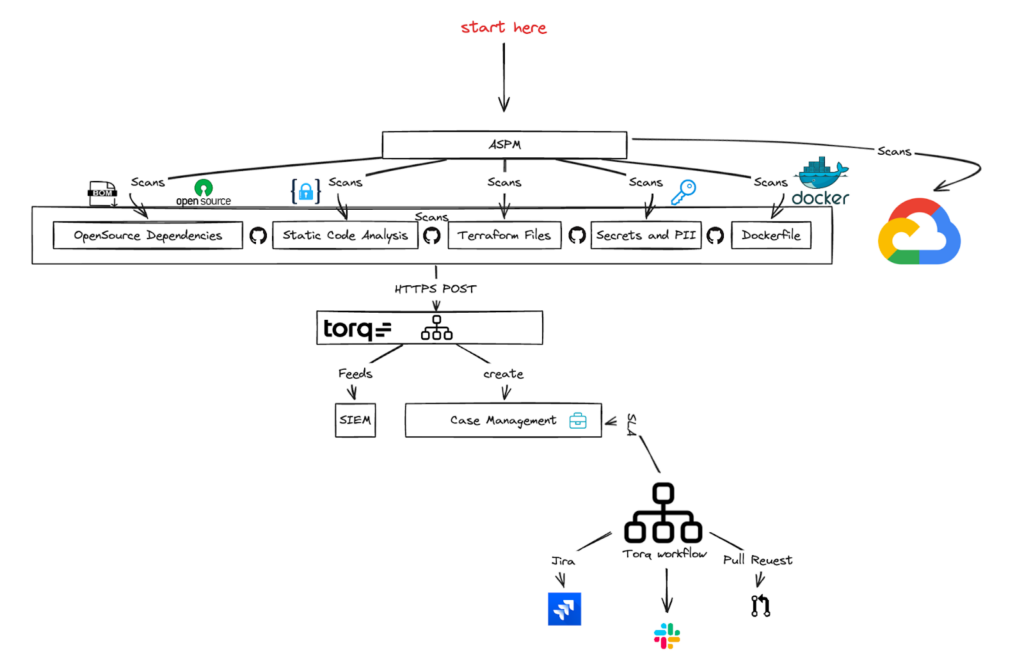
Your stack is loaded with tools. Torq seamlessly integrates your stack to make them work together. When EDR, XDR, SIEM, and anomaly detection platforms are paired with automation, these tools can detect threats and act on them.
With threat hunting automation, you can:
- Trigger a SIEM alert to automatically query EDR logs
- Parse XDR telemetry to extract IOCs and enrich investigations
- Respond to anomaly detection with distributed searches across email, cloud, identity, and endpoint logs
2. Share and Standardize Threat Hunting Templates
Every SOC team uses custom automation templates, which are shared with team members to ensure the most efficient threat hunting workflows. These threat hunting templates serve as playbooks for automating investigations received from the SIEM/EDR/XDR queries.
Teams can:
- Standardize how alerts are prioritized and triaged
- Automatically detonate suspicious files in sandboxes
- Use natural language prompts to build or modify workflows
This makes threat hunting more accessible, scalable, and consistent. Now, even junior analysts can execute expert-level investigations.
3. Trigger Search Processes With Workflows
Manual searching is slow. Automated workflows can activate search processes across various systems to identify further events and evidence.
These workflows can:
- Trigger endpoint and log searches across EDR, MDM, and SIEM platforms
- Perform cross-system correlation to identify lateral movement
- Enrich alert data using threat intelligence and vulnerability scanners
This reduces the time analysts spend manually digging through data, allowing them to focus on high-value tasks.
4. Use Playbooks for Automated Incident Response
Threat hunting without response is just research. Turn detection into action with instant, automated incident response.
Build workflows to:
- Isolate compromised systems
- Revoke access or reset credentials
- Trigger notification workflows to stakeholders
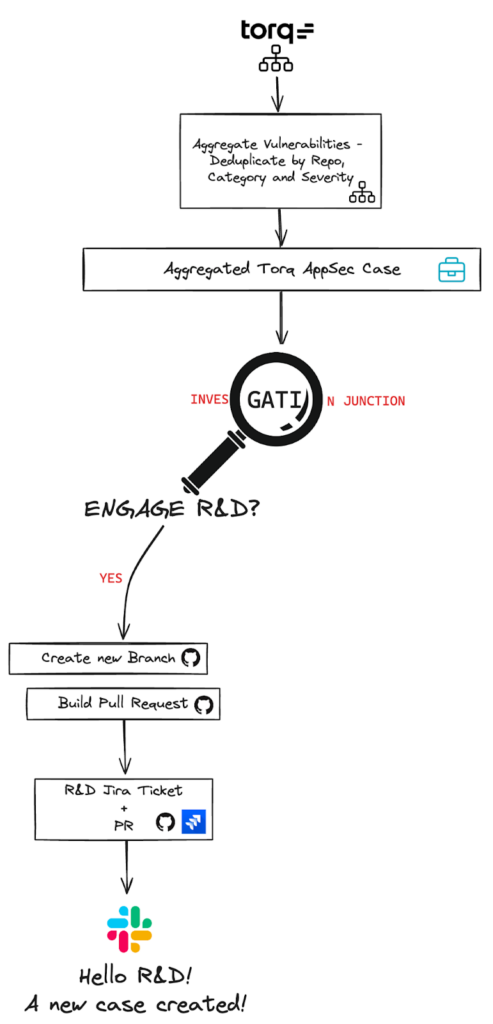
- Update case management systems
Once a threat is confirmed, it’s go time. Depending on the threat, workflows may automate remediation by:
- Quarantining compromised files using EDR
- Removing malware from cloud storage or inboxes
- Blocking malicious IPs and updating firewall rules
- Rolling back affected systems from backups
Real-World Automated Threat Hunting Scenarios
The following scenarios illustrate how automated threat hunting plays out across different industries — from initial detection trigger through to containment. Each is paired with a real outcome from a Torq customer facing similar challenges.
Detecting Advanced Persistent Threats in Financial Services
Threat type: Advanced Persistent Threat (APT) — credential harvesting and lateral movement
Timeline: Alert to full containment in 18 minutes (vs. 4+ hours manually)
Imagine this scenario. A regional bank’s SOC spots anomalous after-hours logins from a privileged service account. The attacker stays just below SIEM detection thresholds — querying Active Directory in small batches to avoid triggering rules. No alert fires. Without automated threat hunting, this lateral movement goes unnoticed for days.
With an automated threat detection workflow in place, a scheduled query cross-correlates after-hours authentication with AD enumeration activity — two signals that look benign individually but together indicate compromise. Torq automatically pulls 72 hours of authentication history, enriches source IPs against VirusTotal and Recorded Future, and queries CrowdStrike for suspicious process execution on every host the account touched. When the confidence score crosses the threshold, Torq triggers containment automatically: suspending the account in Okta, isolating compromised endpoints via CrowdStrike, and opening a fully enriched P1 case in Torq Case Management — all within 18 minutes, without waiting for analyst review.
Quantified outcomes:
- Investigation time drops from 4 hours to 18 minutes.
- Mean time to contain decreases by 87%.
- False positive rate falls 94% after tuning.
- The team saves approximately 3 analyst hours per incident.
Real-World Torq Scenario
A top-30 U.S. bank faced exactly this pressure — too few analysts, too many alerts, and manual processes leaving them exposed to phishing and ransomware. After deploying Torq, they launched over 100 automated workflows in 3 months, connecting VirusTotal, SentinelOne, Proofpoint, and ServiceNow into a single response layer. Torq also automated end-to-end fraud detection and account lockdown, enabling the bank to reinstate a suspended payment service and satisfy SEC compliance requirements. Read the full case study
A global money transfer platform faced the same problem at scale — manually triaging alerts across AWS, Microsoft 365, Active Directory, and SentinelOne. After deploying Torq, the team achieved 30% overall time savings and cut one IAM task that previously consumed a full analyst day down to three minutes. Read the full case study
Automated Ransomware Detection in Healthcare Networks
Threat type: Ransomware pre-execution — living-off-the-land techniques and shadow copy deletion
Timeline: Pre-encryption detection and full isolation in under 9 minutes
Imagine this scenario. A clinical workstation on a hospital network starts exhibiting ransomware precursor behavior — shadow copy deletion attempts, high-volume file enumeration exceeding 500 reads per minute, and living-off-the-land binaries executing from non-standard paths. No single signal crosses a detection threshold. By the time an analyst reviews the alert queue, encryption has already spread across the EHR system.
With automated threat hunting, a query monitors all three signals simultaneously and scores them dynamically. When all three co-occur, Torq triggers an immediate automated response — no analyst review required. Torq isolates the workstation via MDE’s isolation API, disables the compromised Azure AD account, quarantines the malicious binary, and preserves a memory snapshot and process tree for HIPAA chain-of-custody reporting. The entire sequence completes in under 9 minutes. Zero files get encrypted. Zero breach notifications go out.
Quantified outcomes:
- Zero files encrypted across three separate incidents.
- The team achieves detection to isolation in under 9 minutes.
- Torq fully eliminates Tier-1 triage time for this response type.
- The team avoids HIPAA breach notification in all three cases.
Real-World Torq Scenario
Kenvue — the global consumer health company behind Johnson’s, BAND-AID, and Neutrogena — made exactly this shift: moving from reactive, outsourced security operations to proactive, in-house threat detection under significant compliance pressure. Kenvue selected Torq to enforce consistent response across every incident type and launched end-to-end case management in 6 weeks. Read the full case study
Valvoline faced the same containment challenge in a different industry. Before Torq, analysts spent up to 12 hours daily on phishing triage alone. Now when a user clicks a malicious link, Torq automatically initiates password resets, terminates sessions, and executes containment actions across integrated platforms — saving the team 7 analyst hours every day. Read the full case study
Supply Chain Attack Prevention for Manufacturing
Threat type: Supply chain compromise — trojanized software update with C2 beaconing via DNS over HTTPS
Timeline: C2 beacon identified and network-blocked in under 12 minute
Imagine this scenario. A vendor pushes a signed software update to an industrial monitoring tool running across 14 production facilities. The update contains a backdoor that communicates with a C2 server using DNS over HTTPS — blending into legitimate encrypted traffic. Because the software carries a valid vendor signature, traditional allow-listing provides no protection. The attack spreads silently across facilities.
With automated threat hunting, Torq continuously compares the application’s outbound network behavior against a 30-day rolling baseline. When the tool initiates HTTPS connections to a domain it has never contacted before — one registered just 11 days prior with a privacy-protected registrar — Torq flags the anomaly, automatically submits the domain to Recorded Future for threat intelligence scoring, and queries IBM QRadar to identify every host running the same software version that contacted that domain in the past 72 hours. Torq surfaces 23 additional affected hosts across 4 facilities automatically, adds the C2 domain to the enterprise firewall blocklist and DNS blackhole, and opens a vendor notification, a Jira remediation ticket, and a vulnerability tracking case with all affected assets pre-populated — before a single analyst reviews the original alert.
Quantified outcomes:
- Torq blocks C2 traffic across all 14 facilities in under 12 minutes.
- The workflow surfaces 23 additional compromised hosts with no manual hunting.
- Production experiences zero downtime. Investigation time drops from 6 hours to 25 minutes.
Real-World Torq Scenario
Valvoline manages a large distributed network of service centers — similar in security complexity to a multi-facility manufacturer. When their legacy SOAR became too brittle to maintain, Torq replaced it and delivered operational value in 48 hours. A Rapid7 integration their previous SOAR had failed to complete after hundreds of hours of effort was running in under a week. Read the full case study
Kenvue built Torq-powered workflows to manage third-party risk and cross-stack threat correlation across their global supplier ecosystem. Automated intake forms now route third-party security issues directly into SOC workflows — directly applicable to any organization managing software vendor and supply chain risk at scale. Read the full case study
Automated Threat Hunting with Torq
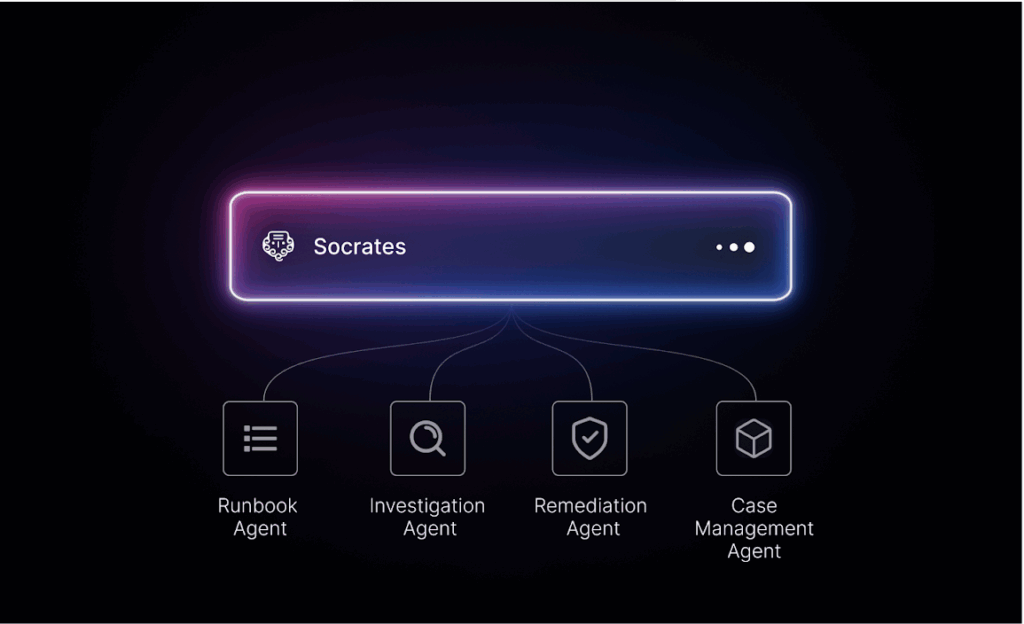
With Torq, threat hunting can be fully automated with our AI SOC platform. Here’s how we do it:
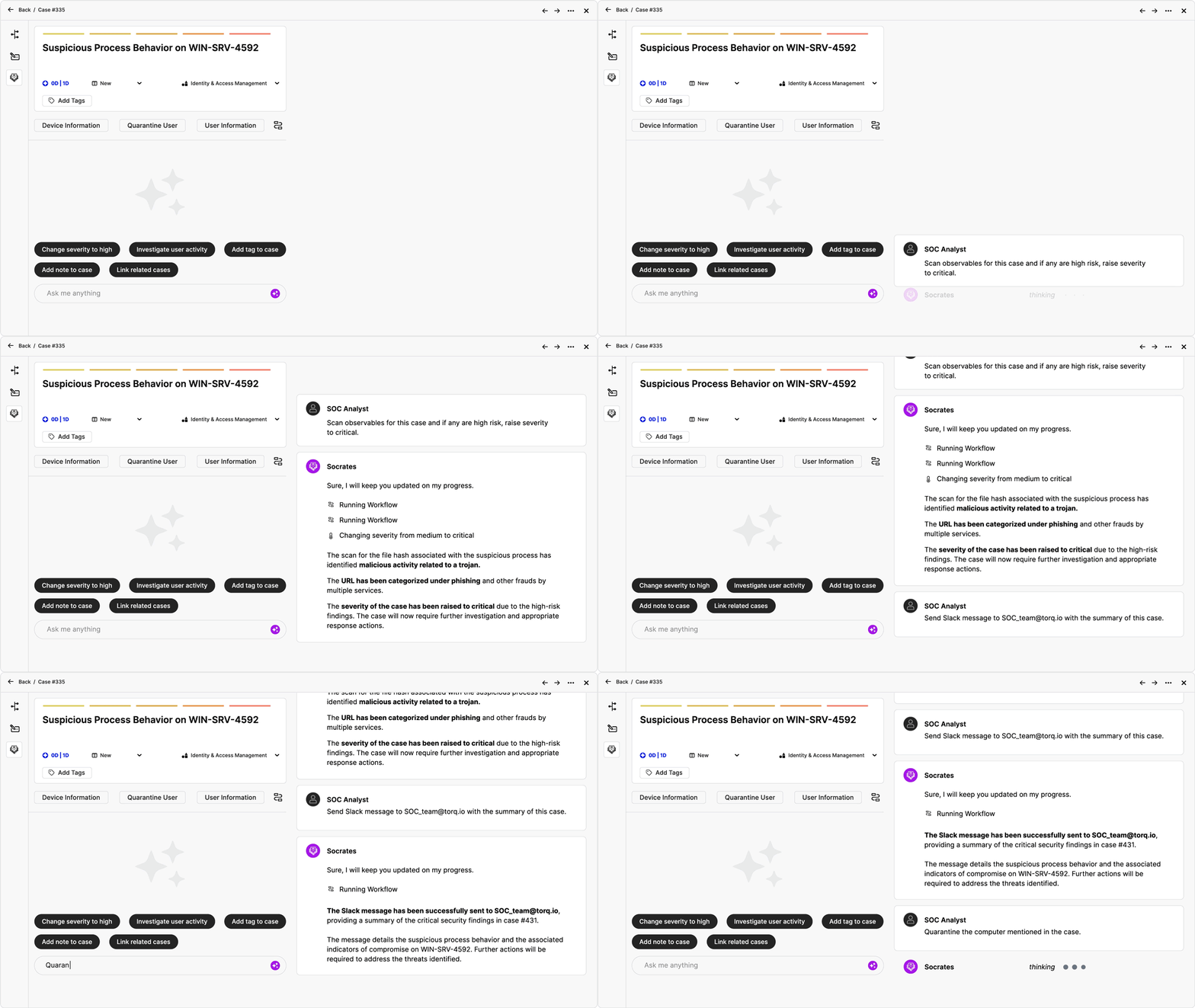
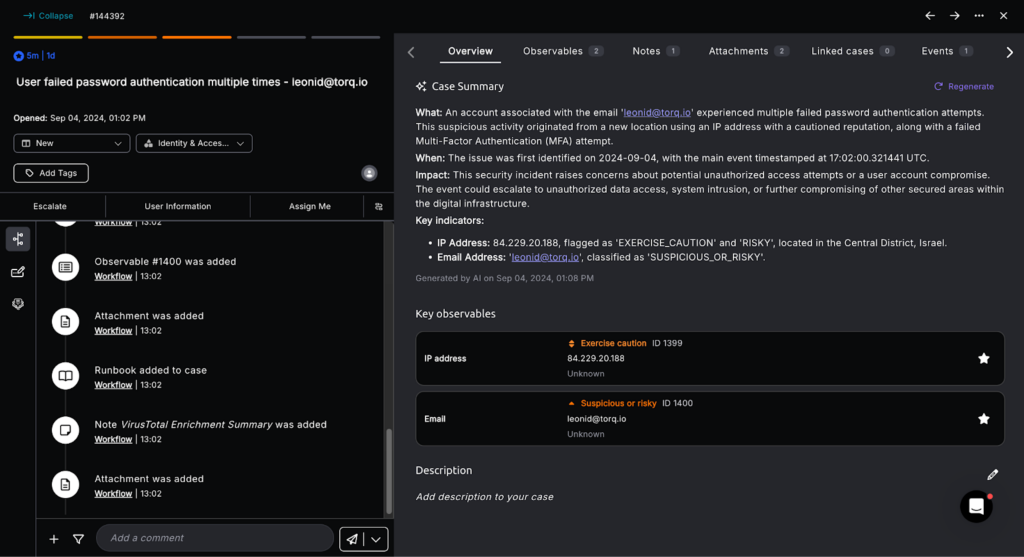
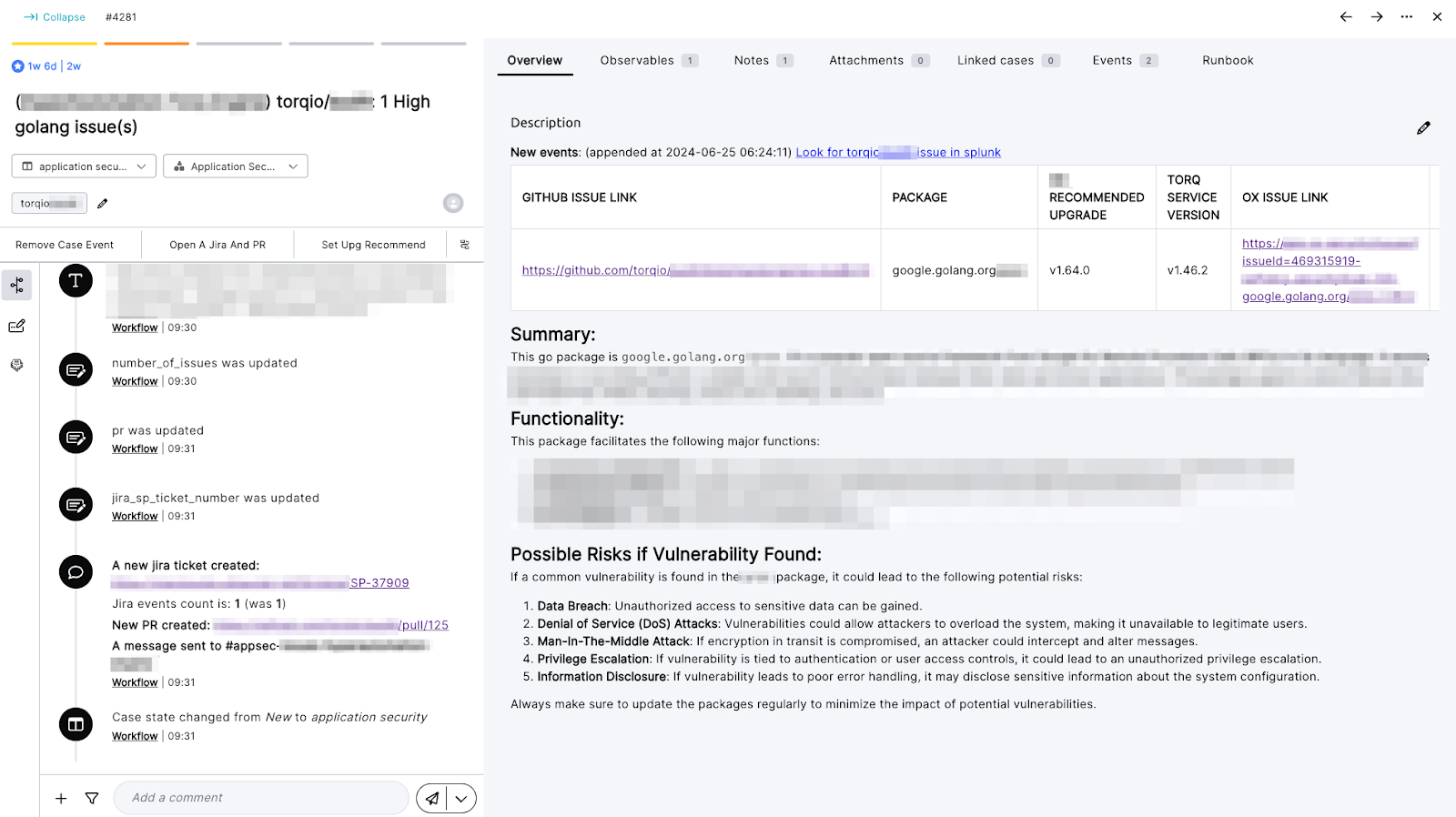
- Automated Case Management: Torq automates case management by automatically creating, updating, and managing cases in response to incoming alerts. High-fidelity signals get prioritized instantly, and cases are enriched in real-time with contextual data from across your stack.
- Observables: Observables like IPs, hashes, URLs, and domains are more than just data points. They’re trackable objects tied directly to cases and alerts, fully compliant with OCSF standards. This lets security teams link activity across seemingly unrelated investigations and surface patterns faster than ever before.
- Relationship Tracking: Torq’s platform allows security teams to implement correlation, enrichment, and contextualization logics in their workflows, leveraging the relationships between observables, cases, and alerts. This helps security analysts identify patterns and uncover hidden threats.
As cyberattacks grow more advanced, real-time visibility and rapid response aren’t optional — they’re essential. Automated threat hunting enables SecOps teams to stay proactive, reduce alert overload, and handle complex multi-vector attacks faster.
Torq gives security professionals the automation edge they need to hunt smarter, not harder. See how Torq can elevate your automated threat hunting strategy today.
FAQs
How long does it take to implement automated threat hunting?
Most organizations achieve an initial automated threat hunting deployment within 2–4 weeks, with a phased rollout reaching full maturity in 60–90 days. The timeline depends heavily on the complexity of your existing stack and how many integrations you need to connect. Platforms like the Torq AI SOC platform can accelerate this significantly, since pre-built integrations with tools like CrowdStrike, Splunk, and Microsoft Sentinel eliminate weeks of custom development. Starting with a single, high-priority use case — such as automating EDR-triggered SIEM queries — lets your team demonstrate value quickly before expanding scope.
What's the difference between automated threat hunting and traditional SIEM alerts?
Traditional SIEM alerts are reactive — they fire when a predefined rule threshold is crossed, then wait for an analyst to investigate. Automated threat hunting is proactive: it continuously executes queries across your environment looking for anomalies and TTPs (Tactics, Techniques, and Procedures) that haven’t yet triggered a rule. Where a SIEM alert surfaces a known signature, an automated hunt surfaces unknown or novel behavior by correlating telemetry across EDR, identity, cloud, and network sources simultaneously. The result is a shorter exposure window and far fewer threats that hide in the blind spots between your existing detection rules.
Which tools integrate best with automated threat hunting platforms?
The most impactful integrations for automated threat hunting are EDR platforms and threat intelligence feeds. Identity providers like Okta and Azure AD are also critical, enabling automated hunting across user behavior anomalies and privilege escalation patterns. A AI SOC platform like Torq connects all of these tools through a single orchestration layer, so hunts can query across your entire stack in parallel rather than tool by tool.
How much does automated threat hunting cost to implement?
Costs vary widely based on organization size, existing tooling, and chosen platform. For mid-size enterprises (500–5,000 employees), a SOC automation and threat hunting platform typically runs $50,000–$200,000 annually, which is often offset by a reduction of 2–4 FTE analyst hours per day and a measurable decrease in breach-related costs. Organizations that build automated hunting on top of existing SIEM/EDR investments generally see ROI within 6–12 months. The most cost-effective approach is to leverage a platform that integrates with your current stack rather than ripping and replacing tools.
What skills do analysts need for automated threat hunting?
Analysts working with automated threat hunting workflows need a solid grounding in threat intelligence frameworks like MITRE ATT&CK, familiarity with query languages like KQL (Kusto Query Language) or SPL (Splunk Processing Language), and an understanding of how attacker TTPs map to observable behaviors in logs. Automation platform literacy — knowing how to build, modify, and debug workflows — is increasingly essential. Modern AI SOC platforms lower this bar significantly: tools like Torq allow analysts to use natural language to build and refine hunts, meaning even junior analysts can execute sophisticated investigations without deep scripting knowledge.
What are the biggest challenges when implementing automated threat hunting workflows?
The most common challenges are data quality (incomplete or inconsistent telemetry across tools), alert fatigue from overly broad hunt queries, and organizational resistance to trusting automation for high-stakes decisions. Tuning is critical — automated hunts that generate too many false positives quickly lose analyst trust. The other common pitfall is scope creep: attempting to automate everything at once rather than iterating on a focused set of high-ROI use cases first. Starting with a well-defined hunt — such as detecting lateral movement after an initial EDR alert — and measuring its precision before expanding gives teams the confidence to automate more aggressively over time.
Can automated threat hunting detect ransomware before it executes?
Yes. This is one of the highest-value use cases for threat hunting automation. Ransomware actors typically spend days or weeks inside an environment performing reconnaissance, lateral movement, and privilege escalation before deploying the payload. Automated threat hunting can detect these precursor behaviors by continuously cross-correlating EDR telemetry, authentication logs, and network traffic for indicators such as mass file enumeration, shadow copy deletion, unusual admin tool usage (living-off-the-land), and anomalous SMB activity. By catching these behavioral signals early, automated workflows can trigger isolation, credential revocation, and stakeholder notification well before encryption begins — dramatically reducing both blast radius and recovery costs.